Showing posts with label Differentiated Instruction. Show all posts
Tuesday, November 29, 2016
Live student agenda
A practice I've been doing this year that I've found really helpful for students is updating a live student agenda that is displayed on the board and shared with students. I use the same Google Presentation for an entire unit and just update the first slide to be the current day agenda. I move old agendas to the bottom of the presentation for reference and use for next year...assuming most things are similar for next year.
I push the agenda out at the beginning of the unit through Google Classroom and encourage kids to bookmark it. It sets up a flow for the day and I try to be as visual with what is displayed as possible. All activities referenced for kids are live links and take away the hassle of what they need to be doing next. I use emojis in class to hint at expectations (teacher led, working as a class, ticket out the door, extension).
In the slideshow I'm also having slides for essential class notes (in case a student is absent...or didn't write down what I asked them to a few days back) and a rolling list of the main practice activities that should be completed up to this point.
Friday, May 22, 2015
#codemath: Student created code on simplifying square root expressions
Today as an extension activity for students that have already mastered simplifying square root expressions, I offered students a chance to complete a symbolic example using my #codemaths structure.
Here was the minimal prompt given to students in a unit google document:
Students only needed to "fill in the gap" of the potential worked out solution from their perspective on how they would solve it--filling in enough detail that would help a fictional struggling student viewing it as a potential worked out solution.
The existing code in the worked out section looks like this:
And will print out:
For the sake of not giving away the solution to the problem, I will just share screenshots of the student output from the #codemaths worked out solutions they wrote and emailed to me:
Pretty fun application for the kids and little time is spent explaining writing code because of the simplified process and kids are thinking more deeply about the mathematics embedded in an activity like this at a pretty highly symbolic level.
One student, wide-eyed and excited, said to me after getting his to work that "This is really fun!" I like too that there is a trial and error aspect to this as they refine and revise what they think will output and what actually does show up when they test it out.
In all honesty, not all my students are doing this but for the kids that are ready for it, it turned out to be a great discussion and application of where we had been in our mathematics and a good preview as to how math can be used in an increasingly more coded world.
Here was the minimal prompt given to students in a unit google document:
Fill in the gaps in the worked out solution in this #codemaths projectI gave a short explanation of how the variable "a" is randomly generated and when they type [a] it will output that value instead of the letter "a". (I recently switched from <a> to [a] to allow for simple html formatting to be used in code output. <b></b> for bold, etc.)
Students only needed to "fill in the gap" of the potential worked out solution from their perspective on how they would solve it--filling in enough detail that would help a fictional struggling student viewing it as a potential worked out solution.
The existing code in the worked out section looks like this:
And will print out:
For the sake of not giving away the solution to the problem, I will just share screenshots of the student output from the #codemaths worked out solutions they wrote and emailed to me:
![]() |
| "Remember to give credit to the makers!!!"--Melissa and Katelyn |
![]() |
|
"Here mr. schwen this is my super awesome code"--Ken
|
One student, wide-eyed and excited, said to me after getting his to work that "This is really fun!" I like too that there is a trial and error aspect to this as they refine and revise what they think will output and what actually does show up when they test it out.
In all honesty, not all my students are doing this but for the kids that are ready for it, it turned out to be a great discussion and application of where we had been in our mathematics and a good preview as to how math can be used in an increasingly more coded world.
Thursday, April 23, 2015
#codemaths:Programming math practice for students
//Checking in
I feel like I need to start the first paragraph of every post with a quick paragraph for those who will judge my whole classroom based on one blog post (not that anyone has every voiced judgement but I don't want to give the wrong impression either). As part of any good math classroom I believe there needs to be a balance of conceptual development, investigation and then, in turn, developing mathematical fluency and efficiency. This post will focus on how I am using computers to develop efficient math students, and will not focus on the conceptual development that has taken place prior to students doing this practice work (think textbook problems).//Learning Cycle, Conversations and Self-Reflection
I have chromebooks in my classroom, two students to each device, which I actually love in promoting math conversations and collaboration. If offered one device for every student I'm not even sure that I'd want it as an option...seriously. I've spent many (seriously, MANY) more hours than I care to admit developing an electronic form of practice for my classroom that works for my situation and I feel like I'm at a new place personally, thus this blog post.A few years back I was doing the traditional assign homework, quiz the students and look at the data myself. Big Data in education, we all know the drill. I had all kinds of charts and electronic analyzing going on but I was doing all the analysis, not the kids, and it was after the learning cycle was to have been completed. There are actually quite a few blog posts and processes I've written on electronic student data that I'm actually not even doing now in my own classroom now.
I dabbled in writing rubrics for each learning target for my students which I really actually liked but, for the sake of time and curriculum development, that has been pushed to the back-burner and saved for a year when my course content has fewer changes. In class we don't have "homework" but "practice" and as it is electronic there is an unlimited amount available to students at any time, along with help videos that are an option for kids wanting to review where we've been.
We have dedicated class time for practice (example here) and it keeps individual learners at the focus rather than the pace of the whole class. I actually think it's tragic to hear that many 12, 13 and 14 year old kids are having to do 3-5 hours of homework every night before bed rather than spending time with their family and I don't want to be a contributor to that any longer.
I've done the whole clicker thing and what I didn't like with that was there was a lot of down-time and waiting and a lot more focus on the right answer than the process and conversations. Maybe that's because we were gathering data and in education we want it to be "valid" and "formative". No thanks, I'd rather have my kids talking about the math they are wrestling with than getting pure data from them.
![]() |
| Properties of Exponents Review |
//codemaths
I've written some about this in the past and wanted to highlight some of the changes I've put together. I'm presenting on this at the NCTM Regional Conference in Minneapolis, Fall of 2015 from both a teacher perspective as well as using it as a tool to challenge students to think more deeply about the math concepts they are learning while applying them in a pseudo-code environment. I tried going full-blown javascript with a class a few years ago and realized so much time is lost in so many of the small details of just writing code that we would never ramp up soon enough to get to applying the math we were currently learning. Today for example in class I found a couple of side-tracked girls that had clicked on the code link from a practice set they were working on and I think I have them hooked on a code challenge to write a system of equations and an algebraic solution based on three randomly generated variables.//Screen
Kind of a sneaky teacher thing but I have it programmed to go through a subtle gradient of background color (starting at white). If a student continues to get consecutive questions correct their screen will move through shades of green toward blue. As they get consecutive questions wrong it will move through through yellow shades toward red. For a student looking directly at the screen they may not even notice it but as I'm walking around the room it is easier to see and it helps as a visual cue even from across the room for me to go check in with a pair of students if they aren't already calling for help.//Stars
Far from gamification but after a set number of correct questions, based on quantity and percent correct they can get 1, 2 or 3 stars to show up. It doesn't save to their profile, record it anywhere or even go in as a grade book but it's laughable at how that actually motivates some kids to try harder and not rush through their thinking. Occasionally I'll hack my own code and pictures of my face will show up as they get more questions right. I thought it was funny--some thought it was creepy but deep down I think that means it's awesome so I keep doing it.//Auto Math Formatting
This has been the latest project with many times where I almost gave up and it turned out I had literally one character in the wrong "else if" loop. I didn't want students to get hung up on understanding what 2x^3 represented mathematically so after the code is printed it will go through and format text (like in in the image above) as 2x³ while also formatting fractions and subscript labels, all based on order of operations so 1/2x will beshown differently than 1/(2x) for example. As students type their responses in a text box they will also see a math
formatted preview of what they are entering.
//Makers
I've tried hard to make this all in a way that can be shared and duplicated but I recognize at this level you really need to have some level of javascript understanding to make something like this work for you. What I've found to be true for me though is that it has become easier for me to make specifically what I need for a lesson rather than trying to find something that is close to what I need. Here's a link to a getting started guide I've put together and I'd appreciate any feedback if there are steps or parts of the process that are confusing. I can't believe you've read this far, you must be pretty nerdy too.Thursday, May 1, 2014
Reverse it to see what they know
We are working on solving systems of equations in Algebra class right now. As a class warmup today I asked students to do this:
We started our unit of solving linear systems with this activity and I have been really happy with the deeper understanding students have had because of the greater focus on the properties of equality. In a couple classes we even looked at doing similar operations using matrices and ideas from my college linear algebra class. (I think I went through that course hardly knowing why I could do what I did to those matrices and hated how much notebook paper it took to do it...)
Here are a couple of examples of what students said in class today when I talked with them and asked them to share their process with the class:
Hayden:
I started with 3x = 9 because I wanted x=3 and then I made the equation x + y = 1 because that equation was easy to have the correct solution.
Lucy:
I just made up some numbers on the left side and put in the coordinates to see what they would evaluate to:
Write a system of equations that has a solution of (3,-2) that you think most (all) students would think it is easiest solved using the linear combination [elimination] method.It was really fun to see their thinking and push back on them a little bit with--"Hmm...I'm not sure if I'd solve that one with linear combinations. You haven't made it appealing enough to me yet." What I love about tasks like this is some students do it exactly in the way I was hoping based on what we've already done in class and others do something more intuitive (and sometimes simpler) than what I had in mind.
We started our unit of solving linear systems with this activity and I have been really happy with the deeper understanding students have had because of the greater focus on the properties of equality. In a couple classes we even looked at doing similar operations using matrices and ideas from my college linear algebra class. (I think I went through that course hardly knowing why I could do what I did to those matrices and hated how much notebook paper it took to do it...)
Here are a couple of examples of what students said in class today when I talked with them and asked them to share their process with the class:
Hayden:
I started with 3x = 9 because I wanted x=3 and then I made the equation x + y = 1 because that equation was easy to have the correct solution.
3x = 9 (starts in the middle of the problem in a way)
x = 3
x + y = 1 (back to the beginning)Then I made 2x - y = 8 because the 2x would give me the 3x I needed and the 8 would make the 9 when I combine the equations.
x + y = 1
2x - y = 8 (manipulating the y's to cancel and to get his 3x = 9 situation)The y's would also make zero to make someone want to use the combinations method.
Lucy:
I just made up some numbers on the left side and put in the coordinates to see what they would evaluate to:
2x + 3y --> 2(3) + 3(-2) = 0 so the equation 2x + 3y = 0 has a solution of (3,-2).Then I made the next equation to have a -2x because I wanted the x's to cancel when I do combinations and the y-term could be anything. I put in the coordinate again to see what the number on the right side of the equation had to be:
-2x + (anything)y = whatever you get back
-2x + 4y --> -2(3) + 4(-2) = -14 so then the equation -2x + 4y = -14 also has a solution of (3,-2).I wasn't sure how well the activity would go but the student seemed very engaged from the start and those that I talked to had great strategies in how to go about solving the problem.
It didn't take a whole lot of planning up front and it gave the students the opportunity to be creative and come up with unique products that demonstrate their understanding of the concept in the reverse direction.I believe that in doing so students will also have a better understanding of when to use the combinations method instead of the substitution or graphing method when appropriate.
Wednesday, April 16, 2014
Differentiated Lesson: Systems of Equations
Today in class I anticipated I'd have a range of abilities with what we are doing in wrapping up a multi-day lesson. I have become fully dependent on the half class set of chromebooks on days like today. I would even say that I am happy that I do not have a 1:1 ratio in my classroom because of the conversations rooted in the need to share and discuss their thinking.
Regular access to classroom technology is crucial for this day to happen in the way that it does.We have been working toward solving systems of equations in algebra, the last 2-3 days have been spent on this algebra-like investigation.
As part of the review day, students were checking graphical solutions to a system of equations on this worksheet ("websheet"?) from http://www.mathematicsvisionproject.org. I asked students to do their algebra check on paper but I wanted them to graph (mostly) on Desmos (yay!) and at least once on a graphing calculator (...for future college board tests...meh).
On the second page of the MVP math sheet, #5 says:
"A theater wants to take in at least $2000 for a certain matinee. Children’s tickets cost $5 each and adult tickets cost $10 each. The theater can seat up to 350 people. Find five combinations of children and adult tickets that will make their goal."I challenged the class to also come up with some equations that represented the situation and to think about what could be replaced by variables. I did not expect everyone at this point in our learning cycle to do so but was very pleased with some results I will share below. Other students in the class that weren't ready just found the 5 possible combinations, still laying the groundwork for next class when we discuss the problem as a group. Students could also get additional practice on this web app if they felt they needed it.
I was most pleased with a group that not only went to desmos, I was able to start talking to them about the inequalities they had written, which regions created contained points that were considered solutions and if they needed to add any (constraints) to better define the solution region. At the end of class they were excited and were going to continue working on it tonight even though they did not have to. (Here is what they made as an extension to the word problem shown above.)
Thank you Desmos for making free tools like this for math teachers. I really like that students can graph equations in standard form (not just in the form y=mx+b). It helped in building understanding for these students as they were looking at the solution area of their graph. On a related note, you should also check out their classroom activities page.
Friday, March 21, 2014
#codemaths: Considering different solutions as variables change
A symbolic extension to our current learning in class
I presented this as a challenge for my students today that were ready to move on from the review that others were still doing in class. All students worked on the initial question and a handful moved on to try to program the solution in #codemaths. I was happy to see that a couple of my female students were working on this and I talked to them about the movement to try and get more girls into programming in what is typically seen as a male career path--they thought that was pretty cool.
"You cannot be what you cannot see!" -@reshmasaujani on @msnbc. Great segment! pic.twitter.com/hH4VzVZ1vl
— Girls Who Code (@GirlsWhoCode) March 19, 2014
Here is the example the class worked on and the skills I went over to prepare students for what they would need to do in order to connect the Javascript to the mathematics they were applying:
What is the solution to ax+b≥c where a, b and c are any value? Are there any circumstances that cause your solution to be different?
Javascript skills needed: using the eval() function and joining a string with variable expressions.
Joining strings with variable values:
“This sentence includes the value “+b;
displays as
“This sentence includes the value 3”
when b = 3.
Using the eval() function:
You can do math using the eval() function as well:
“x>”+eval(a*b-c)
would display as
“x>-1”
when a=1, b=2 and c=3.
In this #codemaths challenge, you will want to change the variable ‘solved’ in the constraints section to output a correct solution for any inequality that may result for random variables a, b and c that is programmed in the question section.
Notice in the first line of code
if(a==0){a = 3;}
that a will be changed to 3 if it is ever equal to 0.
Monday, November 11, 2013
#codemaths: Student outlining his approach to coding an algebra solution.
We are up and running in class today. This morning I caught a glitch that caused any use of commas to break the code but that is fixed. I had students working in class on this that were already proficient in solving equations with variables on both sides and understanding the causes for no solutions and infinite solutions.
The task for the group working in #codemaths was this:
Code an equation w/variables on both sides. Try to avoid no solutions and ∞ solutions. https://t.co/irksPBOAStBefore you watch the video keep in mind that these students have had little or no experience up to today in writing computer code.
Tuesday, October 1, 2013
Unpacking a student example of dividing by a fraction
Today in class students were choosing different practice activities for review for our test tomorrow. One pair of students was working on a worksheet that involved dividing an integer by a fraction. This is a topic we have not reviewed yet but that students have learned in past years. As I looked at his work I knew that I wanted him to explain his process to me. As I listened I knew this was something that I wanted to share. While some of his explanation is now based on procedures I really get the feeling that he has a deeper understanding than a student that is just taught to 'flip and multiply'.
In preparation for looking at it in a future lesson I tried to look at what is happening with the mathematics behind his explanation and what to do when a problem addressed is a little messier.
Comments, suggestions and additional strategies are welcome!
In preparation for looking at it in a future lesson I tried to look at what is happening with the mathematics behind his explanation and what to do when a problem addressed is a little messier.
Comments, suggestions and additional strategies are welcome!
Here is the student's work from when he showed the class:
This is my take on what is happening as the student is moving forward with his procedure:
Tuesday, April 16, 2013
Flooding the bathroom: A (fun) video investigation on Volume
What is important? What message do I want to convey?
A year back I found myself presenting on some assessment tools I've made. As I looked at the room full of people I thought to myself,
"Is this who I am? Have I become the guy that's excited about testing tools?!"
I wanted the answer to be "No!" but my presentation topic and blog posts would probably say otherwise.
From that day on I have decided two things:
1) I'm really tired of presenting on assessment technology at conferences
2) I want to invest more time in content development and not content assessment for my students
In recognizing that I've been writing a lot less this year, I've decided I need to update The Internet on what I'm really about. I could either say what I'm about or I could give some examples of what I'm trying to do so here we go...
Meyer-ish activities
The more I follow and read stuff from Dan Meyer, the more I'm influenced as a math teacher. I find myself going to YouTube and looking for ideas, capturing way more math with my iPhone (there should be an educator tax credit for math teachers that have iPhones) and scouring Pinterest for the perfect picture for our next activity.
A recent one I've found is this video where these guys flood a bathroom in a house. The video is actually two years old which on YouTube is like an antique.
I have embedded it into a presentation and plan to use it today to introduce our volume unit. In one picture I layered a before and after image to actually help in finding the final height of the water before it crashes through the floor. On the last slide is a linked student handout.
What I love is that I was able to pull out some realistic answers based on some reference points in the video itself and with the ideas of bathrooms, flooding and ultimate destruction of a house I'm thinking it will be a hit with the 8th graders.
Extension projects for students
I've been continuing on with the idea of developing new ideas in class first with my students. As often as possible we are using physical tools, drawings, constructions and media to scaffold our learning. I do not introduce new things to students when they are away from me. When video is used, it is to review or reinforce what has taken place in the classroom. Students are reporting often that our activity in class replaced the need for the video altogether and that's great.
As an option for demonstrating understanding students can complete a unit project that is a deeper application of our learning. I love seeing the student creativity and individual choice as these are being completed. I have one student who has told me that he is now doing them "not because I have to but because they are just fun!". How cool is that? For more on that and an example you can check out this post.
In another example of a project students created a powerpoint based off of a flowchart they made. The flowchart consisted of "Yes" and "No" questions that would identify special quadrilaterals by their properties. In the end of each path, the quadrilateral present in the user's mind should be identified correctly. In transitioning to the powerpoint, students made links for a "Yes" and "No" response to individual slides that would be next in identification of the shape.
What I loved about this project is students are required to think as programmers as they design and test their product to make sure it works without the need at this point to learn any computer code.Still working on it
I hope that I don't ever come across like I've figured it out. Each year that I teach I feel like I'm starting all over or realizing there is a much better way of doing something in class. What I do find myself thinking more this year is that what we are doing in class seems to jive more with what I hear research is telling us to do--differentiate, provide choice for students, allow the students to develop their understanding, require them to do the reasoning.
Monday, March 25, 2013
WiFli User Instructions
WiFli Response
Teacher instructions--3/22/2013
Installation
- Follow the installation process instructions while signed in to the account you plan to use the app with (make sure you are not signed in to two Google accounts within your browser as this may cause problems)
- You will receive a confirmation email with a direct link to the app once installation is complete
Daily Use
- Note: Since this app uses Google Apps, Chrome will most likely deliver the best experience. Internet Explorer has been known to cause issues for some users.
- Start a question: The question itself will not be present within the app, only the answer choices (Options are A-G, Yes, No, Unsure or Other (which allows for single word or numerical response). The question will be asked aloud by the teacher, displayed on the board or on a handout in class. Confidence level and a free response options are also present within a question to allow for additional information to be collected for teacher use.
- If a question is open ended, leave the Set Answer box blank, otherwise enter a correct answer in the box prior to starting the question.
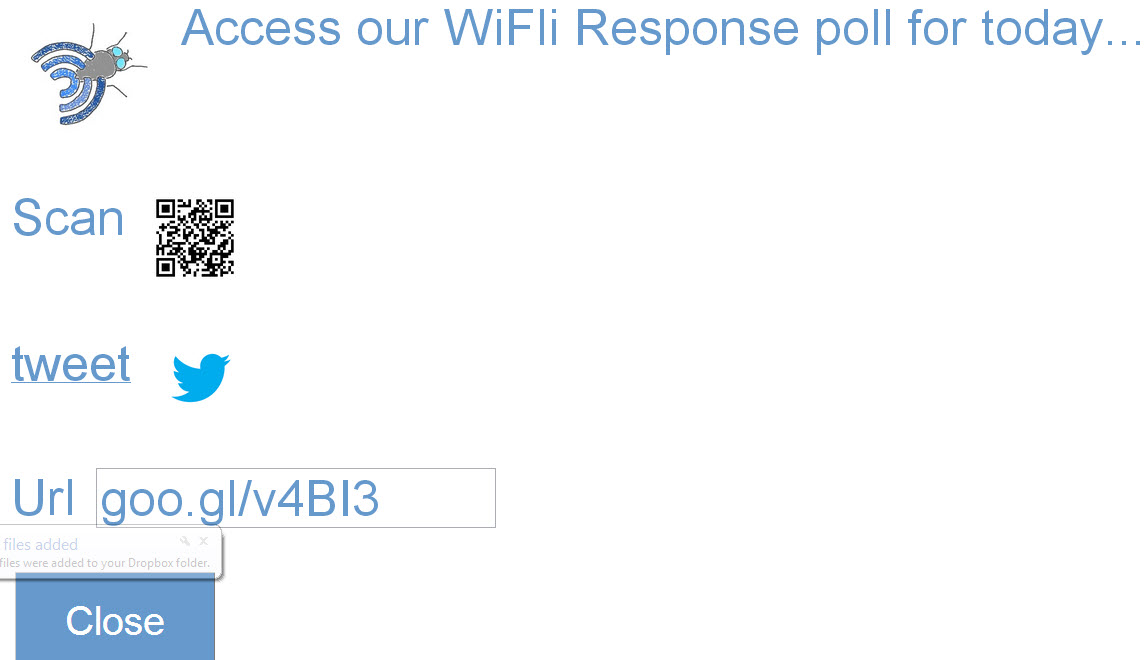
- Share the response form with students on screen by clicking the Share button or embedding a link in your class resources. Clicking the Close button will return the user to the app. The Share screen allows for students to access the poll by shortened URL, an instructor tweeted link or scanning a QR code. The link is permanent for each teacher user and will not change with each poll. Students can bookmark the link on their own devices as well.
- Sort results by name, filter responses by answer choice or confidence level, or view only correct/incorrect responses.
- Seating chart: This can be helpful for a starting activity to group students by small groups, learning partners or other targeted interventions.
- Click on the Spreadsheet icon in the app and then click on the Seating Chart tab of the sheet. Follow the instructions on screen to set up a seating chart format. You will need to authorize the script the first time and then click it again to run it.
- Sort your current question data by a given category by clicking on the yellow cell and selecting (by confidence, answer, or correct)
- The chart will update for each class and each question that is asked. If you want to save a chart arrangement, use your computer’s software to do a screen capture.
- Response History
- At any given time the past 10 questions in history can be viewed within the app. To do so, click on the “1-recent” list and select a different value. Selecting 2, for example, would display the question that occurred before the current one.
- Click on ‘Go’ when you are ready to view the selected data.
- Class lists: Add your students, by class, to enable class data capture and identify students who have not responded
Click the student icon in the web app. Follow instructions on the class list spreadsheet page
Update class list periodically
The class list is used mainly to identify who has not responded and to identify what class is currently submitting. With a class identified you can actually save data points per class to a progress graph (probably something I should mention on the instructions page). The class list is the names that it will use to search for in student entered names on each response. Most of my class list names entered are just last names since it works off of a search function the list name needs to find itself within a student name entered. In other words if I have 'Schwen, Andrew' in my list and the student enters Schwen, Andy it will not identify them as submitting. If my list has just 'Schwen' both entries (Andrew and Andy) would be picked up.
Sunday, February 24, 2013
Answering questions on WiFli Response
I've been getting some questions on just what is WiFli Response and how is it different from other student response systems. While I'm excited about its clean look and have floated some pictures out there, this may be a case where words will do it better justice.
First of all, this is not meant to be something that competes with Google Apps. In fact it is completely dependent on Google Apps. A user must be signed in to their Google account to be able to access their data in the app. If you are like me in the morning, signing in to Google is the second thing you do after turning on your computer. What's the big deal? You don't have to sign in to a second website before starting a class question and your data will continue from where you left off.
There are already free student response websites out there. That's totally correct and I've played with them as a classroom teacher. But my reality is I ask questions a lot in my class, I don't just want a statistic that gives me a vague idea of what to do with my instruction and I want students to be able to respond to the question with little time lost to tech navigation. Those reasons in my design led me to:
If you are interested in getting the app you can purchase it at www.wifliresponse.com
$5/teacher one time fee.
First of all, this is not meant to be something that competes with Google Apps. In fact it is completely dependent on Google Apps. A user must be signed in to their Google account to be able to access their data in the app. If you are like me in the morning, signing in to Google is the second thing you do after turning on your computer. What's the big deal? You don't have to sign in to a second website before starting a class question and your data will continue from where you left off.
There are already free student response websites out there. That's totally correct and I've played with them as a classroom teacher. But my reality is I ask questions a lot in my class, I don't just want a statistic that gives me a vague idea of what to do with my instruction and I want students to be able to respond to the question with little time lost to tech navigation. Those reasons in my design led me to:
- Connect student response data to student names
- Identify who got it right if a correct answer has been included
- Provide student reported confidence
- Allow students to explain their answer or answer a secondary question
- Data can be filtered to identify student groups for future instruction
- You can save some data points for progress tracking for each class
- When class lists are entered you will know who has not yet responded
Simple instead of flashy. Students responding to the poll will just be a seeing a generic Google form. The intent is to not have to edit it but just use it as is. Answer choices are A-F, Yes, No, Unsure and Other where students can enter in a numerical or short text response.
The question they are responding to will not be there but one that I have placed on the board, on a paper or spoken in my classroom. The intent of the product is for situations where one question is being asked at a time not a more formal assessment situation (check out my free assessment templates if you want that).
Two button operation. To operate it I can start a question, with or without a correct answer set, by clicking on the start button. As I want to update the student responses in the app I click on the app's refresh button.
I can also tweet a prepared shortened link for students, have students access the form by scanning a QR code, goo.gl shortened URL or have a permanent link embedded in classroom resources for the entire year. If I'm asking questions on a regular basis I want students to just go there without needing a room number or code to enter in every time. When a new question is started, the graphs reset and are ready to display the new incoming data.
I'm a classroom teacher. I often find that listening to people that used to be classroom teachers or never were that they don't truly understand what I need to make my classroom teaching experience more effective with current challenges. As I was creating this, I had my own classroom in mind. Maybe that means it won't work for you but I think it's more universal than that.
I wanted to easily see who has not responded so I have it looking in my class lists. I didn't want to have to tell it what class I was polling so it will figure that out too.
I found myself writing down percentages for each day on a post-it note for each class to measure our growth. So I created a button that shows up when I set a correct answer with a question. When clicked, it will save the data point to a graph for the current class. The next time that class is answering a poll that graph will show up with their data points (and not my other classes). My classes like to see their progress graph and have conversations about why it went up or down from a previous question.
I didn't want to be tied to my computer so this is a web app that can be run from any web-enabled device. I can start a question from my desktop computer, iPhone, iPad, etc. (I would not recommend Internet Explorer...for anything.)
Multi-purpose devices. If you are a district technology leader please do not use money on physical classroom clickers. Use your money to purchase devices that can have more than one purpose. I wrote a grant for clickers and they sit in the back of my classroom unused 3 years later. Get devices in the hands of your students that can create a window into the world, provide tools for student-led creation of content, calculators, etc.
If you are interested in getting the app you can purchase it at www.wifliresponse.com
$5/teacher one time fee.
Sunday, February 10, 2013
WiFli Response on YouTube
I've just uploaded a promotional video giving an inside look and a bit of a story line to using the app in my own classroom. Here it is if you want to check it out.
Monday, January 21, 2013
Working prototype of WiFli Response!!!
WiFli Response web app is coming!
I've spent the last few weeks learning how to create a user interface to make my student response system easier for the less tech-savvy. Mostly--getting away from spreadsheets and delivering all functioning from within a web app. Well I think the overall product is done! (I'm seriously so excited my heart is racing right now...)
Be patient...
Now to put on some finishing touches and get it ready for the market. I need to look into it a little more but I'm pretty sure what I have here can also be set up as a Google Chrome app from the app store and installed as a Chrome App. I'm most excited about the filtering of the table data from the Google dashboard features.
Preview:
I've spent the last few weeks learning how to create a user interface to make my student response system easier for the less tech-savvy. Mostly--getting away from spreadsheets and delivering all functioning from within a web app. Well I think the overall product is done! (I'm seriously so excited my heart is racing right now...)
Be patient...
Now to put on some finishing touches and get it ready for the market. I need to look into it a little more but I'm pretty sure what I have here can also be set up as a Google Chrome app from the app store and installed as a Chrome App. I'm most excited about the filtering of the table data from the Google dashboard features.
Preview:
Wednesday, January 16, 2013
Parent letter update
Here is an update I sent to parents on our current class structure and the changes they may be seeing since the start of the year.
It's far from the perfect plan but it is my reality right now based on some adjustments and continual reflection of what I'm teaching students (intentionally and unintentionally in class).
Parents (and students),
I wanted to update you on some changes you may have seen in the way students are working through each unit. I have tried to make our learning more focused on the big ideas for Geometry. Instead of textbook assignments, students are completing 'learning target packets' when we get to the point where they are ready for practice. The textbook can still be used to look over examples and get extra practice problems.Our learning cycle now consists of:1. An introductory activity or investigation in class. We do this so students have some context to rely on when we get to more difficult problems within the learning target. A more hands-on approach makes the Geometry more real and interesting for all of us.2. Video lessons. Different than in the past, I don't assign videos to be watched until I feel students have been exposed to enough of an understanding in our class period. This allows them to have the context they need to be able to understand what they will see instead of introducing new ideas through the video.3. Additional practice or activities in class. We have used this time to do some more indepth problem solving, additional practice, work time for those who are ready and small group work for students identified through our warm-up question that still need some extra help. These days are often labeled as our work days and students receive instruction closely matched to their current level of understanding. Students also have the option of completing extension projects for each unit. If done well, the extension can be a way for a student to earn an A for the unit independent of their test scores.
Classwork, retakes and gradesStudents are given the solutions to their practice problems, either online or in a classroom binder. I do not collect the homework but students are to check their own problems and ask questions if they do not understand after seeing the worked out solution. The learning target practice is not entered into the gradebook. I was finding I was spending far too much time recording practice problems that weren't for grade and not enough time preparing meaningful learning activities for our time together in class.Online you will see a simplified gradebook for math. The only grades that will appear are quizzes and tests. If a student is missing a quiz or test they will be zapped, I will no longer be zapping for tests that should be retaken. (Any quiz score below 80% should really be retaken after additional learning and demonstration has been made of their understanding to me.)If a student needs to retake a test they need to:1) Complete a 'ticket to retake' worksheet, 2) rewatch the videos, 3) correct their missed test questions and 4) show me their notes they've taken from the videos.The grade at the end of trimester 2 will be the first grade used on the high school transcript. If you wish to have that grade be changed to a P that is an option now available and you can let me know. A grade of P will not affect their high school GPA but for college entrance it may be possible that the course should be taken again in high school for a letter grade to be present on the transcript.This got to be a long update but hopefully it helps in knowing what is taking place in class. Thanks for reading and please let me know if you have any questions.Sincerely,Andy Schwen
Friday, January 4, 2013
Class agenda for today
Three levels of activity today
For each lesson that I've been preparing this year I have been trying to have practice, review and extension options for each learning target. This unit I actually have the extensions ready to go ahead of time (probably having to do with us just having 10 days off).
Our progression
We started the lesson a few days back with a large group investigation, following the golden ratio idea. Yesterday we did some more formal practice. Students that were rating themselves at an understanding or mastery level began to work individually on their practice material instead of staying with the large group. I used a couple clicker questions to help students identify how well they were understanding the material.
Student choice
We started in a similar fashion today and added a tier of activity for students that completed the practice yesterday in class--beginning work on extension activities for this learning target from a menu of choices (example).
Throughout class I had students moving about the room, helping each other, asking me questions and digging deeper into the concepts. I love my job.
Monday, October 15, 2012
Use of data to assign peer groups for a class activity
Not that everyday in my class feels like a success, but today I felt like we accomplished something positive. We are moving into a topic I anticipate students to struggle in based on my classroom history. I put together a Google PowerPoint that had two tiers of difficulty to it. On the first slide I put an overview of the problem followed by two links--basic and advanced where student pairs could decide which path to take. They then would complete that portion and move ahead to see my potential/suggested solution--allowing each group to determine their pace. Each group seemed engaged the entire time and the conversations were focused and getting to higher level topics not obvious to the activity itself.
What's more, I had a chance to try out my seating chart creator. Using a recent assessment data point, I made the chart to pair a struggling student with a student demonstrating recent success. My reasoning was to elevate all conversations that would be taking place to bring more students to a higher level of understanding. The seating template, now that I've made it, can also be saved and updated with future data points. I'm also thinking of using a different structure for seating to assign students needing additional help for some more targeted intervention time at the start of some class periods. Beauty of it is students don't know why they are placed where they are but I can work more efficiently in getting to students that need help sooner based on classroom location.
I hope to post a video demo of the seating chart setup in action soon.
What's more, I had a chance to try out my seating chart creator. Using a recent assessment data point, I made the chart to pair a struggling student with a student demonstrating recent success. My reasoning was to elevate all conversations that would be taking place to bring more students to a higher level of understanding. The seating template, now that I've made it, can also be saved and updated with future data points. I'm also thinking of using a different structure for seating to assign students needing additional help for some more targeted intervention time at the start of some class periods. Beauty of it is students don't know why they are placed where they are but I can work more efficiently in getting to students that need help sooner based on classroom location.
I hope to post a video demo of the seating chart setup in action soon.
Sunday, October 14, 2012
Data driven seating charts
I finished up what seems to be a working automatic seating chart creator. It is meant to be an add-on for those using my course management system. The idea is that after a given assessment or data point, a seating chart can be made to organize what will be happening in class that day with minimal time spent on creating the chart itself. A teacher could group by higher or lower ability or heterogeneous for peer-to-peer tutoring in a review session.
The new feature is included for those new to downloading my template but for those already using it you'll have to install a script:
Now Google really can make your seating charts!
- From your course management file menu choose "Tools" then "Script Editor".
- A new tab will open, in that tab click on the "File" menu, choose "New" and then "Script File"
- Call it "Seats" and paste in this code.
- After doing so, click the "save" icon and then in the "Run" menu, choose "installSeats". You may have to authorize the script and then make the selection again.
- You should have a new sheet on your system now titled "Seats".
- To make a chart, select a test in the yellow cell and then in the columns to the right type in numbers 1-(max of 60). The 1 represents the lowest score, and as you move up these represent students that performed better on the given assessment. After filling in all values for your largest class size, click the "Create Chart Formula" button--you may have to authorize the script and click it again.
- Now when you change classes and units in the dashboard sheet this chart will update based on your selections. If you want multiple arrangements just duplicate the sheet, reset it and do a different configuration.
Friday, September 21, 2012
Points, Lines and Planes extension menu
This year I have decided to be more (math) content driven in my own personal learning, mostly inspired by the work Dan Meyer has been sharing on his blog. I have learned a lot in the last couple years about differentiated instruction, personalizing learning and using technology to help my classroom run more efficiently. My focus this year is to take advantage of that efficiency and provide more opportunity for depth and enrichment for my students in my content area.
As a first step in that direction I have created an extension menu for my first unit with my Geometry students. This is not a new idea or a concept I have come up with on my own but I wanted to share it here in wanting to be transparent on how I am wanting to grow as an educator and hopefully stimulate similar growth for others.
As I try to differentiate instruction for students, I often find that no matter what I do, some students will still get through the standard material sooner. Rather than creating a "race to the finish" in class I'm taking a different approach and compacting the curriculum for those students using pretesting and allowing them to work on extending the learning beyond what the majority of the class will do. The content ideas for the extensions come from Pinterest, my smartphone camera roll and ideas I get through Twitter. I put those ideas into a grid and try to vary the content in a way that students hit the learning targets in a tic-tac-toe fashion while allowing them to have some choice in the matter related to the final format and presentation audience of their creation.
Here is an example of the grid I compiled today:
| From a Google satellite image, this is a skyview of the roundabout at Super Target in Blaine before the bull’s eye was covered in black. Use Google Earth tools to take measurements and decide how much red and white paint must be ordered to repaint it. Write your findings as a letter to Target trying to convince them to bring back the bull’s eye design in their parking lot again. | Analyze a piece by Escher or Gonsalves and discuss all the elements present in the piece and how the Geometry leads the viewer to believe the illusion present. Use geometry vocabulary in our book and present your findings in one page, formatted to be hung on the classroom wall. Make sure to cite your source for the image you are including with the artist name and the piece title. | Analyze the structure of a spider web in this image as if you were a natural biologist in the field attempting to make a new discovery. Make connections to the Geometry you had learned as a student present in the web and any patterns that you find. Summarize your findings in written form as if you were submitting it to a popular science journal. |
| Create an art piece to be displayed in our school using concepts of our learning targets in the piece. Include a paragraph description card explaining your piece and the geometric elements present in your art. | Use a known distance in this image to calculate the accuracy of this map from a children’s puzzle. Present your findings as if you were quality control for this toy manufacturer. If you decide that it is inaccurate, show where a better placement of the cities should be. Justify your results using math. | If I am only interested in re-siding my house without any concern for design appeal, which size plank will bring the lowest cost per square foot? The highest cost? Are these costs affected by the size of my house? |
| Create a geometric pattern that is to scale that you believe would look nice in a 20 foot by 20 foot patio. Use the block dimensions and prices in this photo. Calculate your cost and then determine how your cost compares to the cheapest and most expensive block arrangement possible. Prepare three boards that you would present to a landscaping client prior to beginning work. | Create a visual presentation in a format of your choosing of our learning targets that could be used by a struggling student to help better understand the ideas in our unit. You may include videos, photos or diagrams that you think are helpful. Make sure that all learning targets are addressed. | Conduct a geometric photo scavenger hunt. Create a blog post of your favorite 10 photos to be shared with our class with explanations of both why you chose each photo to be included and what geometry elements are present in each photo. |
Subscribe to:
Posts (Atom)